FLICK
What's New
Release Notes
Intelligence built in
Version 2.2.0
Flick 2.2 brings Apple Intelligence into the moment you're actually planning. Type a task and Flick tells you how long it takes and where it fits in your week. Hold the plus button, say everything that's on your mind, and get it back as tasks and events, ready to review.
✨ It knows how long that takes
Start typing a task or an event title and a suggestion appears right under it. No extra screen, no button to press, no waiting. The estimate shows up while you're still writing, and it's yours to accept or ignore.
Estimates are generated on your device with Apple Intelligence. Nothing about your tasks is sent anywhere to make them.
🗓️ And where it fits
The suggestion doesn't stop at a length. Flick reads your calendar, finds the first real gap that's long enough, and offers it: 45 min · Tomorrow 9:30 AM. One tap blocks the time; tap again to take it back off.
Placement is deliberately predictable. Flick never moves your events, never reshuffles your day, and never quietly double-books you, it only answers "where does this actually fit?". If there's no room left this week, it tells you that instead of inventing a slot.
🎙️ Hold the plus button and say it all
Press and hold plus, and Flick starts listening. Talk the way you'd talk to yourself on a walk: "I need to send the invoices, call the dentist about Thursday, and the team sync moved to 3", for as long as you need. Pause to think and Flick keeps up.
Let go, and Apple Intelligence turns it into a plan: tasks with dates and durations, events with times, all in one list. Switch off anything it got wrong, then add the rest in a single tap. Nothing is created until you say so.
✨ Fixes all around
Much faster calendar sync, making the app feel snappier all around;
Better search and event selection on Mac;
Multiple windows on Mac and iPad;
Fixed duplicate event notifications;
Plenty of smaller fixes and refinements throughout Flick.
Apple Intelligence features require iOS 26 on a supported device. On other devices, Flick still suggests a default length and where it fits. These specific features are coming to the Mac app in future releases.
🎉 Thank you for planning with Flick.
A New Way to Plan on iPhone
Versions 2.1.0 - 2.1.4
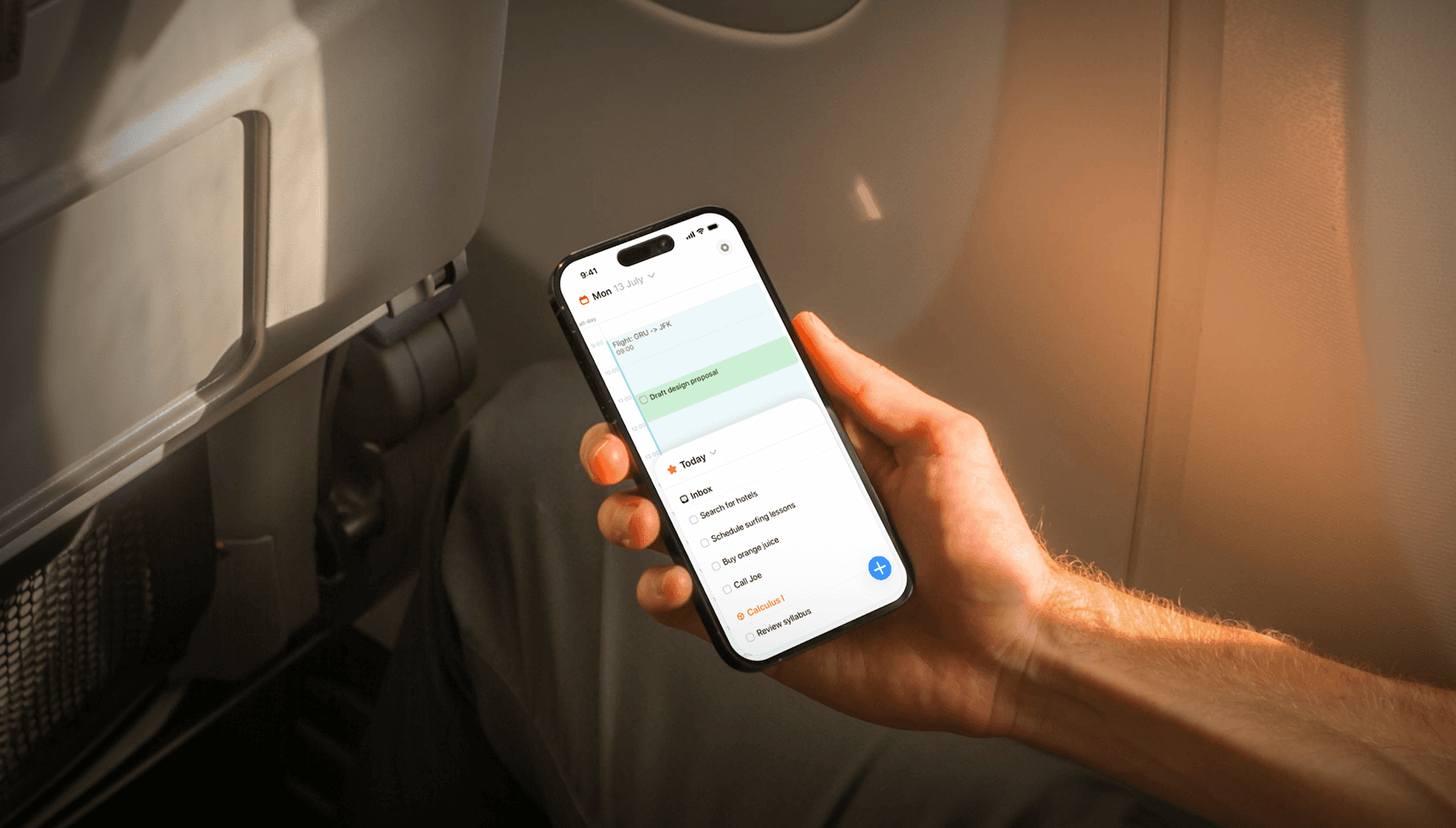
Flick 2.1 introduces a completely redesigned iPhone experience that brings your tasks and planner closer together, making it faster and more natural to organize your day.
Version 2.1.3
Flick now offers Apple Watch complications that keep your day visible at a glance. Track today’s remaining tasks with the free circular complication, while Flick Pro unlocks the visual Timeline and Up Next complications for upcoming tasks, events, and deadlines.
Version 2.1.2
Improved planner navigation on the Mac app and fixed some event notification bugs in which a single event would be notified multiple times.
Also fixed a bug that would prevent events from being correctly saved and some localization settings that defaulted the app language to English.
Version 2.1.1
Flick now has a new app-wide search on iPhone.
Quickly find tasks, projects, sections, and calendar events from one place, with smarter results that help you get where you need to go faster.
We’ve also expanded Flick’s support for Shortcuts, Siri, and Spotlight, making it easier to find your content or create something without navigating through the app first.
📱 Tasks and planner, together
The new iPhone layout keeps your schedule visible while your tasks live in a flexible tray that you can move, expand, or tuck away as needed.
Browse Today or open a project without leaving your planner, then drag tasks directly onto your schedule to start time blocking. The new layout gives your tasks plenty of room when you need to focus while keeping your calendar just a swipe away.
✨ Smoother navigation and interactions
Moving between projects, tasks, and the planner now feels faster and more fluid, with redesigned transitions and improved gestures throughout the experience.
The new task tray also adapts as you work, giving editors and project views more space without losing your place in the planner.
📅 Simpler calendar connections
Calendar accounts are now managed directly from Calendar settings, on iOS, giving Apple Calendar and Google Calendar connections one clear home.
We’ve also improved calendar loading, event editing, all-day events, and syncing reliability across the app.
✨ Fixes all around
Redesigned onboarding and improved Dynamic Type support;
More reliable task, project, and calendar syncing;
Smoother task and event drag and drop on iPhone;
Improved project and task-list interactions on Mac;
Better loading states, transitions, and gesture handling;
Plenty of smaller fixes and refinements throughout Flick.
Flick comes to the Watch
Versions 2.0.0 - 2.0.3

Flick 2.0 is our biggest update yet, bringing Flick to Apple Watch, adding brand new widgets, introducing a redesigned home experience on iPhone, and making the planner feel faster and more polished across the app.
Version 2.0.3
Introducing new refined iconography all around the app and a new Mac MCP that you can enable over on the app's settings!
Versions 2.0.1 to 2.0.2
We've made improvements on the onboarding flows to improve localizations, dynamic type support and to make it more consistent.
⌚️ Flick on Apple Watch
Flick is now available on Apple Watch.
You can check your tasks, browse your projects, see your planner, and make quick updates right from your wrist. It’s built to feel lightweight and useful when you just need to glance at what’s next or quickly adjust something on the go.
📱 A redesigned iPhone home
Flick 2.0 introduces a new compact home experience on iPhone.
The new layout is cleaner, more focused, and designed to help in keeping tasks and planner together in a single view. This makes it way easier to drag and drop tasks to the planner and understand what needs to be done right next to your schedule.
🗓️ New Up Next widget
We added a brand new Up Next widget to help you see what’s coming without opening the app.
It’s designed to surface the most relevant upcoming items from your plan so your next step is always easier to see.
📊 New stats and completion charts
You can now track your progress with a dedicated stats page, which includes new task completion charts and progress views so you can better understand your habits over time and see how consistently you’re getting things done.
✨ More polish everywhere
Better event editing: Creating and editing events now feels smoother, clearer, and more reliable, with better handling for details like attendees, calendars, and scheduling flows;
Planner improvements: From layout refinements to interaction improvements, Flick 2.0 makes planning feel smoother and more intuitive, especially on iPhone and larger screens;
Better calendar syncing and reliability: better refresh behavior, smarter caching, more reliable Google Calendar handling, and a more solid foundation for keeping your schedule up to date;
We also made improvements across settings, loading states, typography, widgets, and general UI details throughout the app.
🎉 Thank you!
Thank you for using Flick and helping shape where it goes next.
Flick 2.0 is a huge step forward, and there’s still a lot more coming.
Improvements All Around
Version 1.6

Flick 1.6.0 brings a brand new unified design for iPad and Mac, smarter meeting tools, full recurrence editing, and a handful of thoughtful improvements to make your day run smoother.
✨ All-New iPad & Mac Design
The iPad and Mac apps have been completely redesigned with a unified view that brings your task lists and calendar together in one place.
It's way easier to drag and drop tasks directly onto your calendar, making time blocking and planning your day easier than ever!
💻 Join Meetings from Your Mac Notch
Never miss an important meeting again. A new Join button now lives right in your Mac notch, so you can hop into any meeting instantly. No more hunting around for links.
🔁 Full Mac Recurrence Editing
Recurring tasks and events on Mac now support full recurrence editing. Adjust one occurrence, all future events, or the entire series.
👥 Find the Best Time for Everyone
Scheduling a meeting with multiple colleagues? Flick can now show calendar events from others in your organization over on the Mac app, making it easy to find a time that works for everyone.
🏁 Today's Deadlines at a Glance
A new Deadlines section in Today view highlights tasks due today or past due, so nothing slips through the cracks.
Not your thing? You can always toggle it off in Settings.
✏️ Event Editing Gets Drafts
Changes to events are now saved as drafts first, giving you a chance to review your edits before they go live. No more accidental updates.
🐛 Improvements All Around
Events load and sync faster across the board, for you to wait less and do more;
Accidentally deleting an event is now a thing of the past. A second confirmation dialog appears before any event is permanently removed.
Additional stability fixes and performance improvements under the hood to keep Flick fast and reliable.